Appointment Booking Software for Small Businesses: A Practical Guide
A practical guide to choosing and setting up appointment booking software: compare tool types, prevent double bookings, manage reminders and deposits, and measure results.
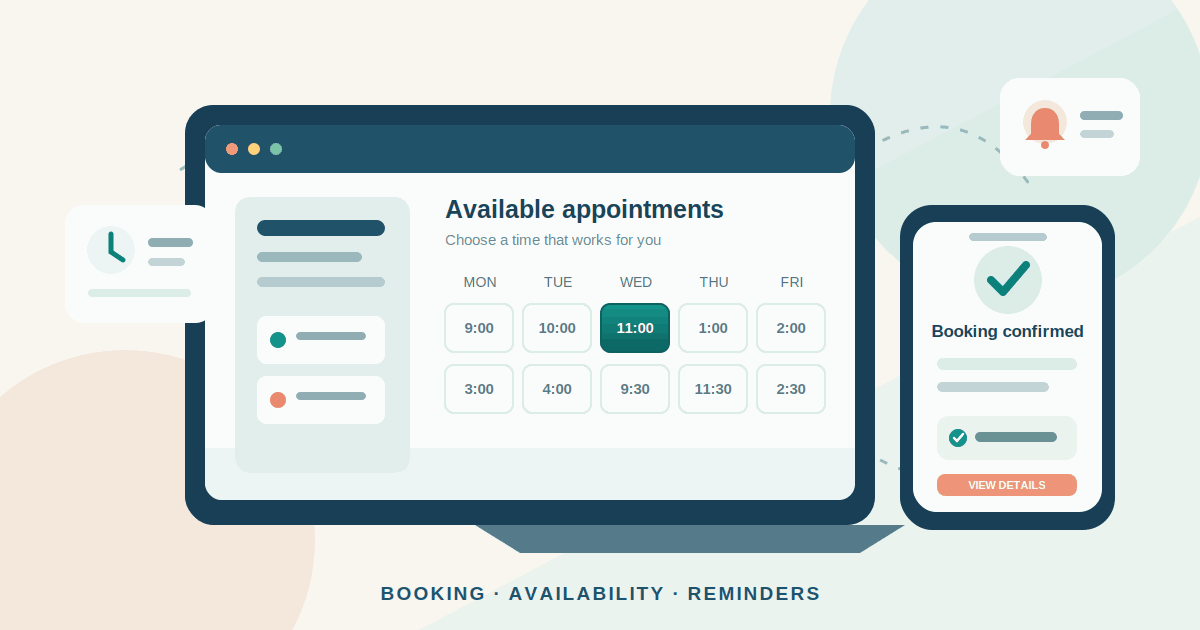
When customers have to call, message and wait for someone to suggest a time, booking a simple appointment can become a slow exchange. An online booking page lets people choose an available slot themselves. For a small service business, that can make it easier to accept appointments outside office hours and reduce routine scheduling messages.
But a booking link is only useful when the calendar behind it reflects how the business actually works. A system that ignores staff breaks, room capacity, service duration or cancellation rules can create double bookings and unhappy customers. The goal is not to automate every conversation. It is to make routine appointments easy to arrange while keeping the business in control.
What appointment booking software should handle
A basic booking system publishes available times and records the customer's choice. A useful business setup usually needs a few more pieces:
- A clear service list: customers can see what they are booking, how long it takes, where it happens and what it costs.
- Real availability: the system blocks times already occupied by staff, rooms, equipment or other calendar events that matter.
- Booking rules: you can set minimum notice, how far ahead people may book, daily limits and time between appointments.
- Confirmation and changes: customers receive a clear confirmation and can cancel or reschedule within the rules you choose.
- Useful reminders: the system sends an email or text at an appropriate time and gives the customer the correct appointment details.
- Payment options: where needed, customers can pay in advance or leave a deposit, with the cancellation terms shown before they confirm.
Not every business needs all of these features. A consultant who offers one type of video call has a different problem from a salon with several staff members, chairs and services of different lengths.
Choose the right type of booking tool
Start with the workflow, not the longest feature list. Most small businesses can begin by comparing three types of tool.
1. Calendar-based booking for a solo operator
For a solo operator, Google Calendar appointment schedules can publish a booking page and add confirmed appointments to the calendar. A personal account can create one page; multiple pages, automated reminders, email verification and Stripe payments require eligible Google Workspace or Google One plans. It can check selected calendars for conflicts, but Google says appointment bookings cannot be added directly to resource calendars, so confirm how rooms or equipment will be reserved.
This is a good starting point when an existing calendar is the source of truth and you do not need complex staff or resource management. Check every calendar that should block a slot.
2. Meeting schedulers for consultations and calls
Calendly suits consultants, sales teams and tutors whose appointments are mainly conversations. Its Free plan allows one event type and one calendar. The Standard plan adds unlimited event types, up to six calendars, integrations and automated reminders; the published US annual-billing price, checked on 19 November 2026, is $10 per seat per month. The Teams plan is listed at $16 per seat per month when billed annually.
Because plans are charged per seat, count the employees who actually need to host or manage appointments.
3. Service-business platforms for staff, payments and resources
Salons, clinics and studios may need staff calendars, customer records, payments and rooms or equipment in one place. Square Appointments lists online booking, deposits, reminders, waitlists and resource management. Its US page, checked on 19 November 2026, lists plans at $0, $49 and $149 per month per location, before payment processing fees. These prices and features are market-specific.
An all-in-one platform can reduce separate tools, but may tie scheduling to one payment provider or point-of-sale system. Check local availability, currencies, tax requirements and the full plan limits before choosing.
Map the appointment before configuring the software
Write down what has to be true for a booking to be valid. For each service, record its duration, price, location, preparation time, required staff member and any room or equipment it needs. Then decide which calendars and resources must be free at the same time.
For example, a salon's colour service may need one stylist, one chair and time to prepare the station. If the software checks only the stylist's calendar, it can accept two bookings that cannot both be delivered.
Set the rules that protect the working day:
- Duration and buffers: include setup, travel, cleaning or paperwork time. Do not offer the next slot just because the customer-facing service has ended.
- Notice and booking window: decide how close to the start time customers may book and how many weeks or months ahead the calendar opens.
- Daily capacity: cap appointments when the work is tiring, unpredictable or dependent on limited equipment.
- Staff and resource conflicts: check every calendar that must block a slot. Test shared rooms, equipment and appointments requiring more than one employee.
- Time zones and locations: show the appointment's location and time clearly, particularly when customers can book from another region.
Google Calendar documents controls for buffer time, minimum notice and maximum bookings per day in its appointment schedules. Other tools use different names and may reserve some controls for paid plans. The important test is whether the system can represent your real constraints—not whether the feature has a familiar label.
Make payment and cancellation rules clear
If late cancellations leave valuable capacity unused, a deposit or prepayment may help. It should be a deliberate policy, not a default setting.
Before enabling payments, decide:
- Whether the customer pays the full amount, a fixed deposit or a percentage.
- When a cancellation is refundable and how a reschedule affects the payment.
- Whether the payment provider charges a processing fee and how refunds are handled.
- What happens if the business cancels, the service cannot be delivered or the payment fails.
Show the price and cancellation policy before the customer confirms. Check local consumer and payment rules rather than copying another business's policy. A deposit can protect a reserved slot, but it does not guarantee attendance or remove the need to handle disputes fairly. For Google Calendar paid appointments, Stripe handles payments and refunds; Google says cancellations do not trigger an automatic refund, so the organiser must process it in Stripe.
Use reminders without overwhelming customers
Send a confirmation immediately with the service, date, local time, location or meeting link, payment status and a way to change the appointment. A reminder the day before may be enough; some services also benefit from a same-day reminder.
Keep messages short and operational. Check whether SMS reminders are included in the plan or billed separately, and confirm that the provider supports the countries where your customers receive messages. Follow the consent and messaging rules that apply in your market. Do not turn an appointment reminder into a promotional campaign unless the customer has separately agreed to receive marketing.
Test the reschedule and cancellation links; asking customers to call during business hours defeats much of the convenience.
A practical launch plan
- Map the process. List services, durations, prices, staff, rooms, opening hours and current calendars.
- Shortlist one or two tools. Confirm local availability, essential features, data export, payment options and total cost for your staff and locations.
- Configure a small service set. Add realistic buffers, notice periods, daily limits, staff availability and cancellation rules.
- Test end to end. Book, reschedule and cancel from a phone. Test competing bookings, staff leave, time-zone changes, declined payments and shared resources.
- Train the team and publish the link. Agree who can change availability or issue refunds, keep a manual fallback, and add the link to relevant service pages and customer channels.
Use a short pilot if missed bookings would be costly. Do not accept appointments in two systems unless one is clearly authoritative.
Measure whether it is helping
Do not judge a booking system by how many people open the booking page. Track completed appointments and the work they create. A small monthly report can include:
- Booking completion rate: completed bookings divided by booking-page visits, where reliable page-visit data is available.
- No-show rate: appointments missed without notice divided by confirmed appointments.
- Cancellation and reschedule timing: how often customers change plans and how much notice they give.
- Staff utilisation: booked service hours compared with the hours genuinely available for appointments.
- Repeat booking rate: the share of customers who return for another appointment within the period that makes sense for the service.
- Booking source: whether customers came from the website, search listing, social profile, referral or another channel.
Compare results with the old process over several weeks. A lower no-show rate is not a win if the policy discourages good customers, overloads staff or reduces profit.
For website measurement, distinguish a click on a booking button from a confirmed appointment. Our GA4 lead-tracking guide explains how to measure genuine enquiries and completed outcomes rather than treating every click as a lead.
Costs, risks and questions to ask before you commit
Compare the full operating cost, not just the advertised subscription:
- Plan fees: per user, per location or per month; check minimum seats and annual billing.
- Payments: card processing, refunds, deposits, chargebacks and any separate payment-provider account.
- Messages: SMS credits, extra reminder volume, WhatsApp or other messaging integrations.
- Setup: importing customer records, connecting calendars, configuring services, staff training and website changes.
- Growth: extra locations, staff, resources, integrations, reporting and support may require a higher tier.
Ask how to export customer and appointment data if you leave. Check staff permissions, retention, account recovery and who can access records. Collect only what is needed; do not put sensitive details in general booking notes unless the provider and your obligations support it.
Finally, test the booking page on a phone and with a keyboard. Customers should be able to understand the available times, complete every field, see errors and change a booking without relying on a mouse. Third-party widgets can have accessibility or performance problems of their own. Our small-business website accessibility checklist and Core Web Vitals guide cover those separate website checks.
Conclusion
Appointment booking software is most useful when it reflects the real capacity and rules of the business. Start with the services, people and resources that must be available together. Choose the simplest tool that can handle them, explain payment and cancellation terms before confirmation, and test the whole customer journey before sharing the link widely.
Then measure completed appointments, no-shows, staff utilisation and repeat bookings—not just clicks. If the system saves time without creating new scheduling problems, expand it gradually. If it cannot represent the way your business works, a more expensive plan will not fix the underlying process.
Further reading
- Google Workspace: Appointment scheduling — feature availability across plan tiers.
- Google Calendar Help: Create an appointment schedule — setup, availability and booking-page settings.
- Google Calendar Help: Update availability for appointments — notice periods, buffers and daily booking limits.
- Google Calendar Help: Require payments for appointments — Stripe connection and payment settings.
- Calendly Help: Choose the right plan — current plan features and seat-based pricing.
- Square Appointments: Pricing and plans — booking, staff, payment and location features for the US market.
- W3C: Web Content Accessibility Guidelines 2.2 — the standard for accessible web content and interactions.
Related articles
How to Simplify Monthly Client Document Collection for Your Bookkeeping Practice
A practical workflow for bookkeeping firms to request monthly records, organise client submissions, review documents, follow up on missing items and track bookkeeping readiness.
Read article
Protect Your Business Domain: A Practical Security Checklist
A practical guide to keeping your business domain under company control: secure registrar access, prevent accidental expiry, enable transfer locks, document DNS settings and monitor changes.
Read article
Core Web Vitals for Small Business Websites: What to Fix First
A practical guide to measuring Core Web Vitals on small-business websites, finding the biggest mobile and desktop problems, and prioritising fixes that improve customer journeys.
Read articleLet's talk
Have an idea? Let's figure out how to build it.
You don't need a technical specification or a perfectly defined plan. Tell us what you're trying to achieve, and we'll help identify the next steps.