Website Lead Tracking for Small Businesses: A Practical GA4 Guide
Learn how to measure real website enquiries from forms, phone calls and WhatsApp—not just traffic—with GA4, campaign tags and CRM feedback.
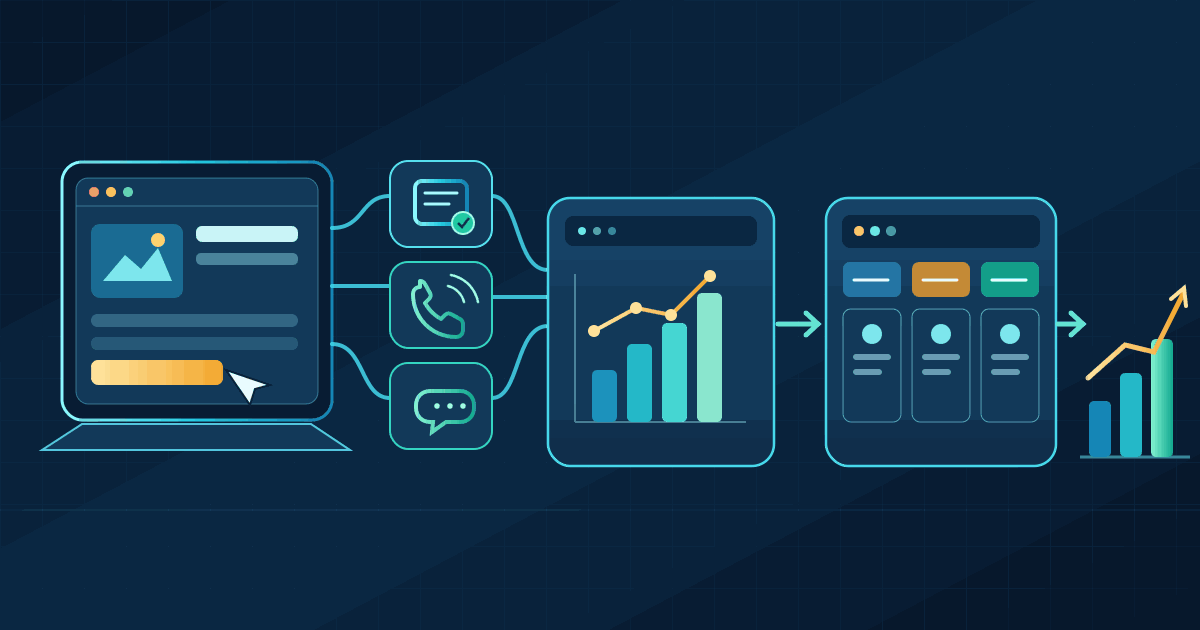
Many small businesses know how many people visit their website. Fewer can answer a more useful question: which visits turn into genuine enquiries, and which enquiries become customers?
A report showing more sessions, page views or button clicks can look encouraging while the sales inbox stays quiet. The problem is often not a lack of data. It is that the website is measuring activity instead of business outcomes.
This guide shows how to build a practical lead-measurement setup with Google Analytics 4 (GA4), campaign links, phone and messaging enquiries, and a simple customer relationship management (CRM) process. You do not need a large analytics team. You do need clear definitions and a few carefully tested events.
1. Decide what counts as a lead before opening Analytics
Start with the action that gives your team a real opportunity to speak with a potential customer. Depending on the business, that might be:
- A contact or quote-request form that was accepted successfully.
- A consultation or appointment that was actually booked.
- A phone call that connected to the business, not just a tap on a phone number.
- A WhatsApp conversation in which a person sent an enquiry, not merely opened the chat link.
- A product or service enquiry submitted through a marketplace or booking partner.
Keep these outcomes separate from micro-conversions: useful signs of interest such as opening a form, clicking a call button, viewing a pricing page or starting a checkout. Micro-conversions help explain where people hesitate. They are not proof that a lead was created.
Write a one-sentence definition that sales and marketing both accept. For example: “A lead is a new, contactable person who has asked for a quote and whose details have been saved successfully.” That definition becomes the rule for your tracking and your reports.
2. Understand GA4 events, key events and Google Ads conversions
GA4 records interactions as events. A page view, a form interaction and a completed enquiry can all be events, but they do not carry the same business value.
GA4 now uses the term key event for an event that matters to the success of your business. You choose which collected events deserve that status. Google Ads uses conversion for an action used to measure advertising performance and, where appropriate, guide bidding. A GA4 key event and a Google Ads conversion are related, but they are not interchangeable labels in every report. If you link the accounts, you can create a Google Ads conversion from a suitable Analytics key event.
For lead generation, Google's recommended event names provide a useful starting point:
form_startrecords the first interaction with a form in a session when GA4 enhanced measurement is enabled.form_submitrecords a form submission detected by enhanced measurement. Treat it as a signal to test, not automatic proof that your business received a valid enquiry.generate_leadis the recommended event for a lead that has actually been generated, such as a successful form enquiry or demo request.qualify_leadcan record when your team decides that an enquiry meets its criteria for a qualified lead.close_convert_leadcan record when a qualified lead becomes a customer.
For most small businesses, begin by making one reliable generate_lead event a key event. Add qualification and sale events later, once your CRM process is consistent. Do not mark every click or scroll as a key event simply to make the dashboard look busy.
3. Track the moment an enquiry succeeds, not the moment someone tries
Forms and quote requests
If your website sends people to a dedicated confirmation page after a successful form submission, GA4 can create a generate_lead event from that page view. This is a straightforward option for a simple website. Make sure the confirmation page cannot be reached just by clicking the submit button before the form is accepted.
Some forms submit in the background and display a success message without loading another page. Others are embedded from booking or CRM providers. In those cases, a generic browser form trigger may fire too early, miss the interaction, or count the same submission twice. Ask your website provider to send the event only after the form service confirms that it accepted the enquiry.
If a developer uses Google Tag Manager, the website can send a small data-layer event after a successful response:
window.dataLayer = window.dataLayer || [];
window.dataLayer.push({
  event: "lead_form_success"
});
In Tag Manager, that custom event can trigger a GA4 event tag named generate_lead. The important part is not the snippet: it is where it runs. It must run after the form has succeeded, not when the visitor merely presses the button. Your developer should also make sure one accepted enquiry produces one event.
Phone calls and WhatsApp
A click on a tel: link tells you that someone tapped a phone number. It does not tell you whether the call connected, lasted long enough to matter, or became a sale. If phone enquiries are important, use a call-tracking arrangement that can report completed calls and connect them to the right campaign where lawful and technically possible. Compare the provider's cost and privacy terms before adopting it.
The same distinction applies to WhatsApp. A click on the chat link is an intent signal; a conversation is an enquiry. Track the click separately, then record the real conversation in your CRM or another approved lead system. Do not add a phone number or message text to GA4 event parameters.
Bookings and external services
If customers finish a booking on another domain, check whether the booking provider supports cross-domain measurement or a reliable confirmation event. Otherwise, Analytics may see the booking as a separate visit or lose the original campaign context. Test the complete journey from the first landing page through the final confirmation.
4. Set up a small, reliable GA4 measurement plan
You can use the Google tag directly or manage tags through Google Tag Manager. Tag Manager is useful when several tools need to be maintained, but it is not a requirement for every small website. Avoid installing the same GA4 configuration through a website plugin, the theme and Tag Manager at the same time.
- Check the foundation. Confirm that the correct GA4 property and web data stream are installed on the pages where enquiries happen. Identify who owns the Analytics and Tag Manager accounts.
- Review enhanced measurement. GA4 can collect common interactions such as scrolls, outbound clicks, file downloads and detected form interactions without extra code. Enable only the options you understand, then inspect what they actually record.
- Create the lead event. Use
generate_leadafter a confirmed enquiry. For a simple confirmation page, GA4 can create the event from a page view. For a background form or third-party widget, use a success signal from that service or your website. - Mark it as a key event. In GA4, mark the new or existing
generate_leadevent as a key event. If you use Google Ads, decide separately whether that event should become an Ads conversion for campaign reporting or bidding. - Test before reporting. Submit a real test enquiry, check Realtime and DebugView, and confirm that the event appears once with the expected name. Test an invalid form, a failed submission, a refresh of the confirmation page and a mobile visit too.
Keep a short event register: event name, what action causes it, where it fires, whether it is a key event, and who owns the implementation. This makes future website edits much less likely to break your reporting silently.
Costs and trade-offs
If your website already has GA4 installed, the first version may be possible without buying another analytics product. The real work is implementation, testing and ongoing maintenance. Call tracking, CRM seats, consent-management tools, external booking integrations and specialist support can add recurring fees. Check each provider's current plan rather than assuming a feature is included. Buy a more advanced attribution platform only when the extra information will change a budget or sales decision.
5. Use campaign links so you can tell where visits came from
GA4 can identify some traffic sources automatically, but links used in email, social posts, partner promotions and paid campaigns often need consistent campaign tags. Google's UTM parameters are labels added to a destination URL so Analytics can group the visits that arrive through that link.
For each campaign link, use these three fields consistently:
utm_source: the source, such asinstagram,newsletterorpartner_site.utm_medium: the channel type, such aspaid_social,emailorreferral.utm_campaign: the campaign name, such asmonsoon_service_offer.
A tagged link might look like this:
https://example.com/request-quote
  ?utm_source=instagram
  &utm_medium=paid_social
  &utm_campaign=monsoon_service_offer
  &utm_content=customer_story
Use a shared naming sheet and keep values lowercase. UTM values are case-sensitive, so Instagram and instagram can appear as different sources. Use campaign tags on links that bring visitors to your website; do not add them to ordinary internal navigation links, because that can overwrite the original acquisition context.
UTMs tell you which tagged link was clicked. They do not prove that the campaign caused a sale, and they do not replace the CRM record. They are one part of the measurement chain.
6. Connect website leads to what happens in your CRM
GA4 can show which sources and landing pages are associated with key events. It usually cannot tell you, by itself, whether a particular enquiry was a good fit, whether your team called back, or whether the person eventually paid.
Capture the campaign source, medium and name with the lead when it enters your CRM. Then use a small, consistent set of stages such as New, Contacted, Qualified, Won and Lost. Agree what “qualified” means. For a consultancy, it might mean the person has a suitable requirement, budget and timeframe. For a repair business, it might mean the service is available in the customer's area.
Review the stages by source and campaign. A channel that brings fewer enquiries may still be more valuable if a higher share of those enquiries become paying customers. This is also where a CRM helps prevent duplicate counting: one person contacting you through a form and then by phone should not automatically become two new customers.
If you want Google Ads to optimise for qualified leads or completed sales rather than raw form submissions, that requires a separate connection between your CRM and Ads. Google recommends its enhanced conversions for leads approach for this type of feedback. There is also a current implementation change: from 15 June 2026, Google says offline-conversion and enhanced-lead uploads moved to the Data Manager API, with uploads through the Google Ads API blocked. Old setup tutorials may therefore describe a route that is no longer available. This is an advanced integration; do not attempt it until your lead records, consent process and event definitions are dependable.
7. Measure the funnel, not just the top of it
A useful monthly report can fit on one page. Start with the same definitions and date range each time:
- Relevant sessions: visits to the pages intended to attract enquiries.
- Confirmed leads: unique enquiries that meet your agreed lead definition.
- Qualified leads: enquiries that meet your sales criteria.
- New customers: leads that became paying customers.
- Campaign spend: the cost of the campaigns being compared.
Then calculate a few ratios:
- Website lead rate = confirmed leads ÷ relevant sessions.
- Cost per lead = campaign spend ÷ confirmed leads.
- Cost per qualified lead = campaign spend ÷ qualified leads.
- Lead-to-customer rate = new customers ÷ qualified leads.
For example, imagine a campaign spends ₹12,000 and brings 1,000 relevant sessions, 20 confirmed leads, 8 qualified leads and 2 customers. The illustrative lead rate is 2%, cost per lead is ₹600, cost per qualified lead is ₹1,500, and one quarter of qualified leads become customers. These are example calculations, not industry benchmarks or a claim about a real campaign.
Use the numbers to ask practical questions. Are visitors reaching the right service page? Are people starting a form but not completing it? Are enquiries coming from outside your service area? Does one campaign bring low-cost leads that rarely qualify? Is the team responding quickly enough? A report is useful when it leads to a decision, not simply because it contains more charts.
8. Avoid the mistakes that make lead reports misleading
- Counting clicks as leads. A click on a call, WhatsApp or submit button is not the same as a connected call or accepted enquiry.
- Firing events twice. A plugin and Tag Manager may both send the same event. Test one successful journey and check the count.
- Counting failed forms. Trigger the lead event after the form service confirms success, not before validation or server processing.
- Inconsistent campaign names. Keep UTM spelling and case consistent across the team.
- Ignoring offline outcomes. If your sales happen over the phone or in person, keep the CRM updated; website analytics alone cannot see the whole sale.
- Assuming every visit is measurable. Consent choices, browser settings, ad blockers, cross-domain journeys and device changes can create gaps. Treat analytics as an imperfect measurement system, not a complete record of every person.
9. Protect customer information and respect consent
Do not send names, email addresses, personal phone numbers, form messages or other personally identifiable information to GA4. Check page URLs, query strings, event parameters and custom dimensions too: a form or search feature can accidentally place private information in a URL that Analytics records.
Keep the detailed customer record in your CRM, where access can be restricted to the people who need it. Analytics should receive only the non-identifying information needed for measurement. If you use a consent banner or consent-management platform, make sure the tags follow the visitor's choice. Google's Consent Mode communicates consent states and adjusts supported tag behavior; it does not obtain consent on your behalf or decide which legal requirements apply to your business. Privacy obligations vary by location and business context, so get appropriate advice when needed.
10. A sensible first rollout
Do not begin by building a complicated dashboard or buying a new attribution platform. A small, staged rollout is easier to maintain:
- Write down the one or two actions that count as a genuine lead.
- Check your existing GA4 and Tag Manager installation for duplicate tags.
- Implement and test one
generate_leadevent for a successful enquiry. - Add consistent UTMs to your active campaigns and preserve those values in the CRM.
- Record whether leads are qualified and won, then compare the funnel by source.
- Review privacy, consent and access settings before expanding the tracking.
For a small team, this may be enough to reveal whether the next improvement should be a clearer landing page, a shorter form, a better campaign audience or faster follow-up. If you later automate enquiry routing, our guide to practical AI agents for small businesses explains where automation can help and where human approval still matters. Our digital marketing and social growth service also describes a measurement-first approach to improving traffic and enquiries.
Conclusion
Website lead tracking is not about collecting every possible click. It is about connecting a visitor's first campaign touchpoint to a confirmed enquiry, a qualified opportunity and, where possible, a completed sale. Start with a clear definition of a lead, record successful actions accurately, keep campaign names consistent, and use your CRM to understand quality.
Once those basics are reliable, GA4 becomes more than a traffic report. It becomes a practical input to decisions about where to spend, what to improve and which enquiries deserve your team's attention.
Further reading
- Google Analytics: Recommended events — including
generate_lead,qualify_leadandclose_convert_lead. - Google Analytics: Key events and conversions — how Analytics and Google Ads use the terms.
- GA4 enhanced measurement events — what automatic form and interaction events collect.
- Google Analytics URL builders — how to create consistent UTM campaign links.
- Google Analytics cross-domain measurement — how to preserve a session across connected domains.
- Google Analytics privacy guidance — how to avoid sending personally identifiable information.
- Google Consent Mode overview — how tags respond to consent choices.
- Google Ads: Offline conversion imports — current guidance for connecting offline lead outcomes to advertising.
Related articles

Let's talk
Have an idea? Let's figure out how to build it.
You don't need a technical specification or a perfectly defined plan. Tell us what you're trying to achieve, and we'll help identify the next steps.