Small Business Inventory Management: A Practical Guide
A practical guide to tracking stock, setting reorder points, choosing inventory software and keeping small retail operations accurate across store and online sales.
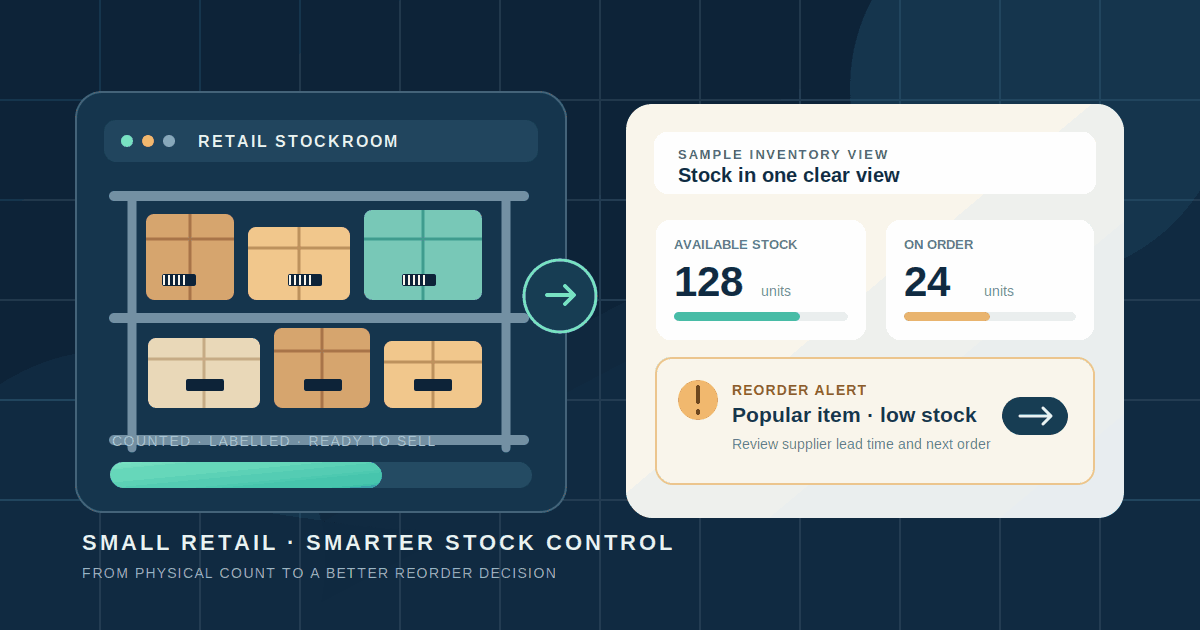
Running out of a popular item is frustrating. Buying too much of a slow seller is expensive in a different way: cash sits on a shelf instead of paying for wages, rent or the next order. Both problems often begin with the same gap — the business does not have a dependable view of what it owns, what is already promised to customers and what is on its way.
Small business inventory management does not have to start with an expensive system. A well-maintained spreadsheet can work for a small, single-location range. Software becomes useful when sales happen through several channels, stock moves between locations or staff spend too much time correcting counts.
1. Decide what your stock numbers mean
A single number labelled “stock” can hide several different situations. For each product at each location, distinguish between:
- On hand: units physically present, including units that may already be reserved or unsuitable for sale.
- Committed: units allocated to orders that have not yet been fulfilled.
- Available: units that can still be sold without promising the same item twice.
- Incoming: units on a confirmed supplier order or transfer that have not yet been received.
- Unavailable: damaged, expired, quarantined or otherwise unsellable units.
Systems use different labels. Shopify, for example, separates available, committed, unavailable and incoming quantities; check each provider’s definitions.
Track quantities by location if you have a shop, storeroom, warehouse or fulfilment partner. Ten units in a warehouse are not immediately available to a customer collecting from the high-street shop. Record transfers as movements with a dispatch and receipt step; do not make stock appear at the destination before it arrives.
2. Clean up the product list before automating it
Inventory software cannot fix a confusing catalogue. Give every sellable item a consistent stock keeping unit (SKU), which is the internal code your business uses to identify it. A T-shirt in medium and the same T-shirt in large should normally have separate SKUs because they are separate quantities that can run out independently.
Use one consistent SKU for the same item across your point-of-sale system, online shop and stock records. Avoid creating a new code each time a product is imported into another channel. If the same physical item has different identifiers in different systems, stock updates can be applied to the wrong record or fail to match at all.
For each SKU, keep the basic details together:
- Product name, variant, category and SKU.
- Barcode or product identifier, if used.
- Supplier, supplier code and typical replenishment lead time.
- Unit cost, selling price and the unit of measure.
- Stock quantity by location, plus any committed or incoming quantity.
- Reorder point and the person responsible for purchasing.
A barcode is a scannable label, not the same thing as your internal SKU. If a retailer or marketplace requires a global product identifier, check the relevant GS1 requirements; ordinary internal stock movements may need only your own SKU.
3. Set a reorder point instead of relying on memory
A reorder point is the stock level that tells you when to place another order. A simple starting formula is:
Reorder point = average daily demand × replenishment lead time + safety stock
Keep the time units consistent. If you measure demand per day, use lead time in days. Lead time should reflect how long it takes for usable stock to arrive — not only the delivery journey. Supplier processing, transport, receiving and inspection can all add time.
For example, suppose a shop sells an average of four units a day. Its supplier normally takes seven days to deliver, and the owner chooses a buffer of ten units for unexpected demand or delays:
4 × 7 + 10 = 38 units
The shop should review replenishment when its inventory position reaches about 38 units. Inventory position is a better signal than the shelf count alone: start with stock on hand, add confirmed incoming stock and subtract units already committed to orders. If the shop has 22 units on hand, 20 confirmed on the way and five committed, its position is 37 units — so it is time to review the next order.
This is a planning example, not a universal safety-stock rule. Use actual sales and supplier history, then adjust for seasonal peaks, promotions, minimum order quantities and supplier reliability. The reorder point tells you when to order; it does not decide how much to buy. Consider cash, storage space and supplier pack sizes before approving the quantity.
4. Choose a tracking method that fits the operation
A periodic system records stock through scheduled physical counts and manual updates. A spreadsheet or simple stock register may be enough when you have a small range, one location, few sales channels and someone who can update every sale, return and delivery reliably.
A perpetual system updates stock as sales, returns and receipts are recorded through a POS or inventory platform. It can reduce manual entry and sync channels, but missed transactions or weak integrations still make the numbers wrong.
Consider moving beyond a spreadsheet when you regularly see any of these signs:
- The same item sells in-store and online, and staff must manually reduce stock in more than one place.
- Two locations hold stock or fulfil orders, and transfers are difficult to reconcile.
- Customers are promised items that are already sold, reserved or damaged.
- Staff spend significant time counting, merging files or investigating mismatched quantities.
- Purchasing decisions depend on sales history and supplier lead times that are hard to review manually.
Do not upgrade by product count alone; variant, location and channel complexity matters more.
5. Compare software by the work it must handle
There are several sensible starting points:
- POS-led inventory: often suits a physical retailer that wants sales, returns and stock updates in one workflow.
- E-commerce platform inventory: can suit an online-first shop when the website is the main sales channel and stock is managed there.
- Dedicated inventory software: may be useful when several sales channels, warehouses, suppliers or purchasing processes need to share one stock record.
- Accounting or enterprise resource planning software: may make sense when inventory must connect closely to purchasing, finance, manufacturing or other business operations.
Shortlist tools against real tasks, not feature-count marketing. Ask whether the system can:
- Keep quantities synchronised across the channels and locations you actually use.
- Record variants, bundles, returns, damaged goods and stock adjustments.
- Create purchase orders, receive partial deliveries and track supplier details.
- Support barcode scanning, physical counts and a review or approval step.
- Export product, supplier and transaction data in a usable format.
- Connect to your payment, accounting, shipping and online-store tools without creating duplicate records.
Shopify documents inventory quantities, transfers, purchase orders and stock counts within its platform. Square documents POS-linked stock tracking and low-stock alerts, while some advanced functions are limited to particular plans. These are examples, not a recommendation to choose either product: confirm that the current plan, country, devices and integrations support your workflow. If you sell online, also keep product availability consistent with the feeds and listings used for discovery; our Google Merchant Center free listings guide explains the separate product-data requirements. If you are planning an online shop, our E-commerce & Online Stores overview outlines the storefront and stock-management work to consider.
6. Introduce the system in a controlled way
- Clean the catalogue. Remove duplicate products, standardise variants and assign a unique SKU to each item you need to count separately.
- Count the real stock. Choose a quiet time, count by location and record damaged or reserved units separately. Keep the original count as a baseline.
- Choose one source of truth. Decide which system owns the stock quantity. Avoid two disconnected spreadsheets or platforms that both claim to be correct.
- Map every movement. Agree how staff record sales, returns, supplier receipts, transfers, damaged goods and manual corrections. Give each action an owner.
- Pilot a small range. Test a few fast-moving and awkward products, including variants and a return. Check that a sale on one channel updates the others as expected.
- Reconcile before expanding. Compare the system with a physical count, fix the causes of differences and train the team before adding every product or location.
Keep an export of the original product list and opening counts. Before signing a long contract, test how easily you can export your data and what happens if you stop using the service.
7. Understand the costs and the risks
The subscription is only part of the cost. Allow for extra users or locations, scanners and labels, data cleanup, integrations, training and support. Ask for the full cost at your expected volume, and check whether key features, reports or exports require a higher plan.
There is also a cost to holding too much stock. Inventory ties up working capital and can require storage, insurance and handling. Products can be damaged, expire or become difficult to sell. Holding too little can mean missed sales and urgent replenishment. The right balance depends on demand, supplier reliability, product life and the cash available to the business.
Common implementation risks include duplicate SKUs, incomplete opening counts, disconnected sales channels, unrecorded returns and staff using workarounds. A dashboard can make inaccurate records look precise. Schedule physical counts even after automation, restrict who can adjust quantities and review unusual changes. For a useful starting point, business.gov.au’s inventory guidance covers tracking methods, reorder points and stocktakes.
8. Measure whether inventory control is improving
Record a baseline before changing systems, then review the same measures regularly:
- Inventory accuracy: the share of counted SKU-location records where the system quantity matches the physical count. Define what counts as a match and use the same rule each time.
- Stockout frequency: how often important products become unavailable, and how many days they remain unavailable.
- Slow-moving stock: the value or quantity of items that have not sold within a period that makes sense for that product category.
- Replenishment performance: whether suppliers deliver within the lead time used in your reorder settings.
- Inventory turnover: cost of goods sold divided by average inventory value at cost over the same period. A very low result can indicate excess stock; an unusually high result can also mean you are not holding enough to meet demand.
Compare stockouts, corrections, staff time and inventory value over several comparable periods. Note seasonal changes and promotions before attributing any improvement to the software.
Conclusion
Good inventory management starts with trustworthy product records and clear rules for every stock movement. Define what is available to sell, count what is physically present, set reorder points from demand and real supplier lead times, and choose software only when it solves a problem your current process cannot handle reliably.
Start small, reconcile the numbers and measure the operational difference. The best system is not the one with the most features; it is the one your team can keep accurate while customers can buy what the business has promised.
Further reading
- Australian Government: Manage your inventory — tracking methods, reorder points and stocktakes.
- Business.govt.nz: Managing inventory — the working-capital, storage and ordering trade-offs of holding stock.
- Shopify Help Center: Inventory and locations — quantities, locations, transfers and purchase orders.
- Shopify Help Center: Stock counts — physical counts and review workflows.
- Square Support: Track your inventory — POS-linked stock tracking and plan requirements.
- NetSuite: Reorder point formula — demand, lead time and safety stock.
- OpenStax: Operating efficiency ratios — inventory turnover and average inventory.
- GS1: Barcodes — standardised product and supply-chain identification.
Related articles

How to Simplify Monthly Client Document Collection for Your Bookkeeping Practice
A practical workflow for bookkeeping firms to request monthly records, organise client submissions, review documents, follow up on missing items and track bookkeeping readiness.
Read article
Appointment Booking Software for Small Businesses: A Practical Guide
A practical guide to choosing and setting up appointment booking software: compare tool types, prevent double bookings, manage reminders and deposits, and measure results.
Read article
Protect Your Business Domain: A Practical Security Checklist
A practical guide to keeping your business domain under company control: secure registrar access, prevent accidental expiry, enable transfer locks, document DNS settings and monitor changes.
Read articleLet's talk
Have an idea? Let's figure out how to build it.
You don't need a technical specification or a perfectly defined plan. Tell us what you're trying to achieve, and we'll help identify the next steps.