PostgreSQL Async I/O: How to Measure Before You Tune
A practical PostgreSQL 18 guide to asynchronous I/O: understand io_method, benchmark scan-heavy workloads, read pg_stat_io, and roll out tuning safely.
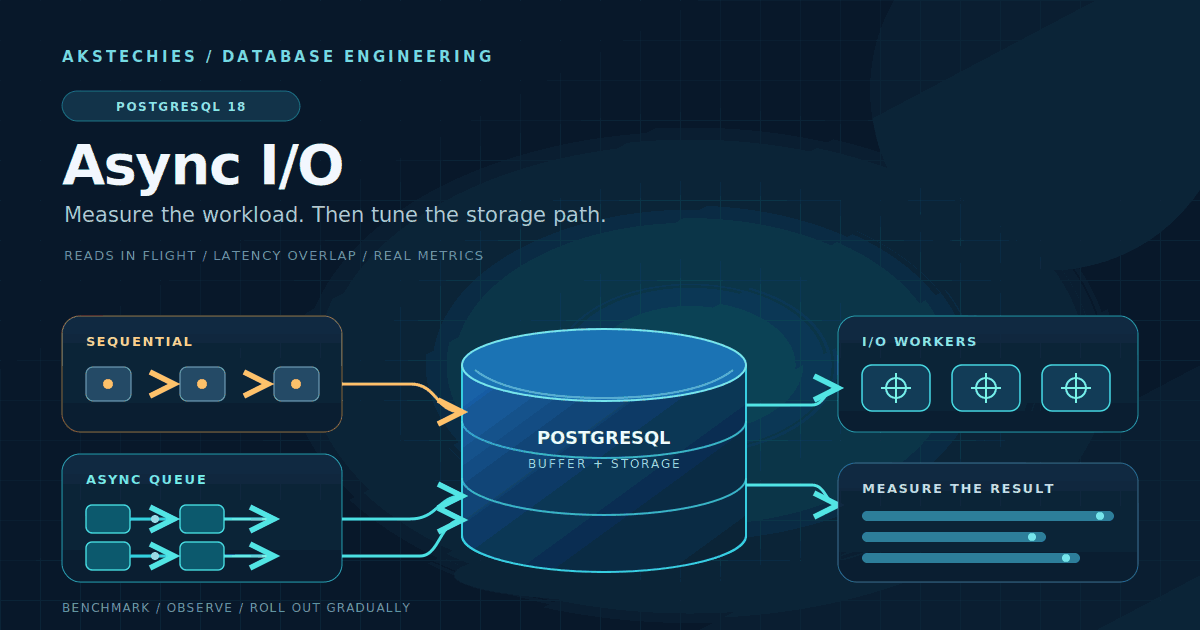
PostgreSQL 18 added something database teams have wanted for a long time: a built-in asynchronous I/O (AIO) subsystem. It lets PostgreSQL queue multiple eligible read requests instead of waiting for each one to finish before moving on. That can help sequential scans, bitmap heap scans and vacuum, especially when storage latency is a meaningful part of the workload.
There is an easy mistake to make here: treating AIO as a switch that makes every query faster. It does not. A query that is CPU-bound, spends most of its time waiting on locks, or reads almost everything from memory may see little benefit. A poorly chosen execution plan does not become a good one because reads are asynchronous.
This guide shows what PostgreSQL 18 AIO actually changes, which settings matter, and how to benchmark it without confusing cache effects with real storage improvements. The examples target the PostgreSQL 18 series. As of 1 November 2026, PostgreSQL 18.6 is the current 18.x maintenance release; PostgreSQL 19 RC 1 is available for testing, but this guide does not assume a release-candidate build in production.
1. What asynchronous I/O changes
With synchronous I/O, a backend can end up waiting for one read to finish before it can submit another. AIO gives PostgreSQL a way to have several eligible operations in flight. While the storage system works on those requests, the backend can continue with work that does not depend on the result yet. The aim is to overlap I/O latency, not to make the storage device itself faster.
PostgreSQL 18 documents AIO support for sequential scans, bitmap heap scans and vacuum. These are important paths for large-table reads and maintenance, but they are not every possible access path. A point lookup that touches a few cached pages is a very different workload from scanning a large relation that does not fit in memory.
AIO is also different from parallel query. Parallel query divides parts of a plan among multiple PostgreSQL worker processes. AIO allows a backend to queue eligible I/O operations. They can complement each other, but they solve different problems and should be measured separately.
2. Start by identifying an I/O-bound workload
Before changing configuration, find a workload where read waits are a material part of execution time. Good candidates include reporting queries that scan large tables, bitmap heap scans over many heap pages, and vacuum jobs that read substantial amounts of relation data. A query dominated by expression evaluation, joins over already-cached data, lock waits or network transfer is unlikely to benefit much from faster read scheduling.
Use a representative query from production rather than a tiny synthetic query. Check the plan first:
EXPLAIN (ANALYZE, BUFFERS, SETTINGS, TIMING OFF)
SELECT count(*)
FROM event_archive
WHERE created_at >= current_date - interval '30 days';
Confirm that the plan contains a sequential scan or bitmap heap scan if that is the path you want to evaluate. Do not force a sequential scan just to make AIO look useful. The planner should be allowed to choose the plan that is appropriate for the real query and its data distribution.
EXPLAIN ANALYZE executes the statement. A read-only SELECT is normally suitable for this kind of inspection, but it still consumes production resources. The TIMING OFF option avoids repeated per-node clock reads while retaining the overall execution time. Use a staging copy or a controlled window for expensive queries, and remember that instrumentation itself can affect timings.
Keep two baselines separate:
- Warm-cache behaviour: run the same workload after its working set has been read. This shows what happens when PostgreSQL and the operating system can serve much of the data from memory.
- Cold or storage-limited behaviour: test on an isolated system where the data set is larger than the relevant caches and the storage path is genuinely exercised. Do not flush operating-system caches on a production database to manufacture a cold-cache test.
Record throughput and latency together. A higher average throughput can still be a bad result if p95 or p99 latency rises for the interactive workload sharing the same storage.
3. Understand the PostgreSQL 18 settings
The first setting to inspect is io_method. PostgreSQL 18 provides three choices:
workeruses PostgreSQL I/O worker processes. This is the default and does not require anio_uring-enabled build.io_uringuses Linuxio_uring. The PostgreSQL binary must have been built with liburing support. Do not assume a distribution package or managed database exposes this method.syncexecutes I/O operations that are eligible for AIO synchronously. It is useful as a comparison point in a controlled benchmark; it is not a recommendation to switch production systems to synchronous I/O.
Check the running server instead of assuming which options are available:
SHOW server_version;
SHOW io_method;

SELECT name, setting, unit, context, pending_restart
FROM pg_settings
WHERE name IN (
    'io_method',
    'io_workers',
    'io_max_concurrency',
    'io_combine_limit',
    'io_max_combine_limit',
    'effective_io_concurrency',
    'maintenance_io_concurrency'
)
ORDER BY name;
The context and pending_restart columns are useful when planning a change. In particular, io_method is a server-start setting. Changing it requires a restart; it is not a per-session experiment that can be switched safely with SET during a busy workload.
Several other settings deserve attention, but they are not invitations to increase every number:
io_workerscontrols the number of I/O worker processes whenio_methodisworker. The documented default is 3.io_max_concurrencylimits the number of I/O operations a process can execute simultaneously. Its default of-1lets PostgreSQL choose a value based on shared buffers and process limits, capped at 64.effective_io_concurrencycontrols the number of concurrent storage operations PostgreSQL expects it can initiate for relevant work. The PostgreSQL 18 default is 16. A value of zero disables issuance of asynchronous I/O requests for this setting.maintenance_io_concurrencyserves a similar purpose for maintenance operations. Its PostgreSQL 18 default is also 16.io_combine_limitcontrols the largest I/O size used when operations are combined.io_max_combine_limitis the upper ceiling and is set at server start. Both default to 128 kB. Raising the first above the second does not bypass the ceiling; PostgreSQL silently uses the lower limit.
Start with the defaults. They are a baseline, not a promise that every storage device will perform best with those values. Change one variable at a time and keep a record of the previous configuration so that a rollback is straightforward.
4. Measure with pg_stat_io, not guesswork
PostgreSQL 18 extends pg_stat_io with byte counters and WAL I/O rows. For relation activity, the view groups counters by backend type, object and I/O context. The bulkread context is particularly relevant to large reads such as sequential scans; vacuum helps when looking at maintenance work.
SELECT
    backend_type,
    object,
    context,
    reads,
    pg_size_pretty(read_bytes::bigint) AS read_size,
    round(read_time::numeric, 1) AS read_ms,
    hits,
    evictions
FROM pg_stat_io
WHERE object = 'relation'
  AND context IN ('normal', 'bulkread', 'vacuum')
ORDER BY backend_type, context;
Take a snapshot before and after a test and compare the deltas for the relevant backend and context. These counters are cumulative, not query-scoped. On a busy server, other sessions and autovacuum can contribute to the same rows, so isolate the benchmark when possible. Do not reset shared I/O statistics on a production cluster just to make one test easier to read.
The time columns need timing collection enabled. For relation I/O, track_io_timing controls read and write timing; WAL timing is controlled separately by track_wal_io_timing. Check the current settings before interpreting a zero value as evidence that I/O is free.
Statistics are not instantaneous. PostgreSQL processes flush accumulated statistics periodically, and a transaction can keep a cached statistics snapshot. Read counters in fresh, short transactions or use pg_stat_clear_snapshot() when you are deliberately sampling repeatedly inside one session. Compare the stats_reset timestamp so that you know the interval covered by the numbers.
There is an important limitation: PostgreSQL's I/O statistics report operations that reach the kernel, but they do not tell you whether the data was fetched from physical media or was already in the operating system's page cache. Pair database metrics with host or cloud-storage metrics such as device throughput, queue depth, utilization and latency. A change in read_bytes alone is not proof that the disk did the same amount of work.
5. Use pg_aios for live inspection, not as a performance dashboard
PostgreSQL 18 also adds pg_aios, which lists asynchronous I/O handles that are currently in use. It can show the operation, state, length, target and result of an active handle:
SELECT
    pid,
    state,
    operation,
    length,
    target_desc,
    result
FROM pg_aios
ORDER BY pid, io_id;
This view is mainly intended for PostgreSQL developers, although it can help when investigating a live I/O path. It is a snapshot of handles currently in use, not a history of completed operations. A short-lived request may disappear before you query the view, so an empty result does not mean that AIO is unused. By default, access is restricted to superusers and roles with pg_read_all_stats.
6. Run a controlled comparison
A useful benchmark changes one thing at a time. Keep the PostgreSQL minor version, machine size, storage class, data set, query text, planner statistics, connection count and background workload the same. Run enough repetitions to see normal variation, and compare median and tail latency rather than selecting the fastest single run.
For a repeatable load test, put the representative read query in a small read-heavy.sql file and run the same script, client count and duration for each method:
SELECT count(*)
FROM event_archive
WHERE created_at >= current_date - interval '30 days';
pgbench --file=read-heavy.sql --client=16 --jobs=4 --time=300 --progress=10 "$PGDATABASE"Set the connection environment or use a PostgreSQL service file so credentials do not appear in shell history. The example values are a starting point, not a universal concurrency setting. Use the same parameters for each run, and collect p95/p99 from your application metrics or a load generator that records latency histograms; do not infer tail latency from pgbench's average alone.
For a PostgreSQL 18 build using the default worker method, compare the same test against io_method = 'sync' on an isolated test cluster. If your build supports io_uring, include it as a separate candidate rather than assuming it will win. The PostgreSQL release announcement reported gains of up to 3× in particular storage-read scenarios; that is an example of what can happen under suitable conditions, not a forecast for your database.
Use the same workload for the database-level and operating-system measurements. Look for a coherent result: the query or vacuum should complete faster, the relevant read waits should fall, and the storage system should remain within its latency and saturation limits. If throughput improves but unrelated requests become slower, the new setting may simply be using more of a shared I/O budget.
Do not use pg_stat_reset_shared('io') as a routine production measurement tool. It resets cluster-wide I/O counters and requires appropriate privileges. On a dedicated benchmark instance it can make before-and-after analysis simpler, but on a shared system it destroys useful history for every workload. Sampling deltas is usually safer.
7. Common rollout mistakes
Increasing concurrency until the numbers look impressive
More outstanding I/O can hide latency when a device has spare capacity. Once the device or cloud volume is saturated, extra requests can increase queueing and make latency worse for everyone. Tune against the production mix, not only the large scan that benefits most.
Confusing a cache hit with a storage improvement
A second run is often faster because the data is now cached. Alternate test order, repeat runs, and keep warm-cache and cold-cache results separate. If the benchmark cannot control cache state, state that limitation instead of presenting the result as a storage improvement.
Changing several settings together
If you change io_method, worker count and both combine limits in one maintenance window, you will not know which change caused the result. Start with the default worker method, compare it with the synchronous baseline, and adjust a single parameter only when the measurements point to a specific bottleneck.
Assuming every build supports io_uring
io_uring requires PostgreSQL to be compiled with liburing support and is Linux-specific. Package builds and managed database services differ. Check the actual server build and provider documentation before preparing a restart around this option.
Using AIO to avoid query tuning
AIO does not repair stale planner statistics, a missing index, a join that multiplies rows unexpectedly, lock contention or a CPU bottleneck. Read the plan, row estimates and buffer counts first. Fix the query or schema problem when that is where the time is going.
8. A safe production rollout
For a production change, first reproduce the target workload on a staging system with the same PostgreSQL minor release and comparable storage. Capture the current configuration and a baseline for throughput, p50/p95/p99 latency, read volume, I/O wait and storage utilization. Include vacuum or other maintenance activity if it competes with application queries.
Next, test one method and one configuration at a time. Because io_method is set at server start, plan the comparison around a restart on a test instance or a maintenance window. If you operate a primary and standby, understand how your provider applies restart-only settings to both sides before changing either node.
Roll out gradually. Watch the same application-level and storage-level metrics used for the baseline, and compare them over a representative traffic period. Keep a rollback path: restore the previous setting, restart when required, and verify the running value through pg_settings. If the storage queue grows or tail latency regresses, revert rather than waiting for an average throughput number to improve.
Managed PostgreSQL providers may restrict restart-only parameters, select the I/O method for you, or expose a different set of build options. Do not assume that a self-managed configuration can be copied directly into a hosted service. Check the provider's parameter group and maintenance procedure first.
9. A practical checklist
- Confirm the exact PostgreSQL major and minor version, and inspect the running
io_method. - Choose a real sequential-scan, bitmap-heap-scan or vacuum workload where read latency matters.
- Record the plan with
EXPLAIN (ANALYZE, BUFFERS, SETTINGS, TIMING OFF). - Separate warm-cache and storage-limited tests; never flush production caches to create a benchmark.
- Capture
pg_stat_iodeltas and host or cloud-storage metrics over the same interval. - Compare the default worker method with a controlled synchronous baseline; test
io_uringonly when the build supports it. - Change one setting at a time and account for restart-only parameters.
- Watch p95/p99 latency and the rest of the workload, not only the scan that improved.
- Document the old settings and a rollback procedure before rollout.
Conclusion
PostgreSQL 18 AIO is a useful addition for workloads that spend real time waiting on eligible reads. It gives the server more opportunity to overlap I/O, but it does not remove the limits of the storage device or make every query faster. The best starting point is the default worker method, a representative benchmark, and measurements from both pg_stat_io and the underlying storage system.
Do not tune the largest concurrency value you can find. Find the operation that is waiting, test one change, and keep it only when the whole workload improves. That is a much safer way to turn a new database feature into a production gain.
Further reading
- PostgreSQL 18 documentation: I/O configuration parameters
- PostgreSQL 18 documentation: pg_stat_io
- PostgreSQL 18 documentation: pg_aios
- PostgreSQL 18 documentation: EXPLAIN
- PostgreSQL 18 release notes
- PostgreSQL Global Development Group: PostgreSQL 18 release announcement and AIO overview
- PostgreSQL 18.6 release notes
- AKSTechies: PostgreSQL logical replication failover and CDC continuity
- AKSTechies: The transactional outbox pattern with PostgreSQL, Debezium and Kafka
Related articles
Python asyncio TaskGroups: Structured Concurrency That Survives Cancellation
A production-focused guide to Python 3.11+ asyncio TaskGroups: child-task ownership, sibling cancellation, ExceptionGroup handling, deadlines, and safe fan-out patterns.
Read article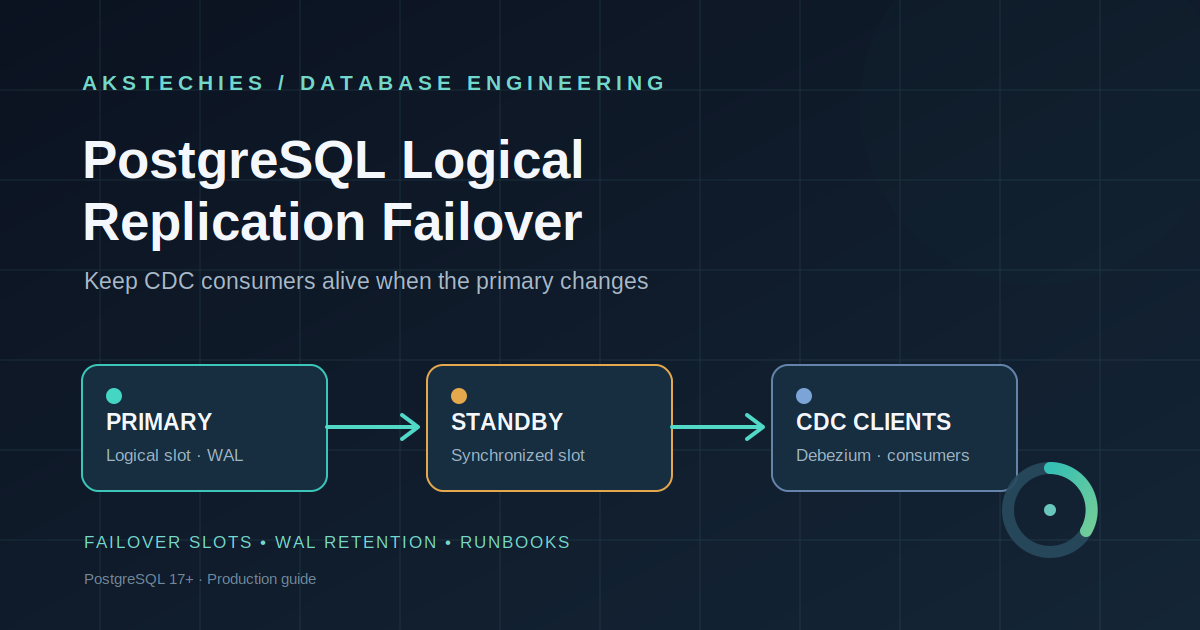
PostgreSQL Logical Replication Failover: Keep CDC Running After Promotion
A production guide to PostgreSQL 17+ logical failover slots: configure slot synchronization, protect WAL, verify standby readiness, and recover CDC consumers safely after promotion.
Read article
Building Reliable FastAPI Services in Production: Timeouts, Retries, Idempotency, and Observability
A production-focused guide to making FastAPI services resilient with deadlines, bounded retries, idempotency, database safeguards, backpressure, and observability.
Read articleLet's talk
Have an idea? Let's figure out how to build it.
You don't need a technical specification or a perfectly defined plan. Tell us what you're trying to achieve, and we'll help identify the next steps.