Why Business Emails Land in Spam: A Practical SPF, DKIM and DMARC Guide
Learn how small businesses can improve email deliverability with SPF, DKIM, DMARC, one-click unsubscribe, list hygiene and practical monitoring.
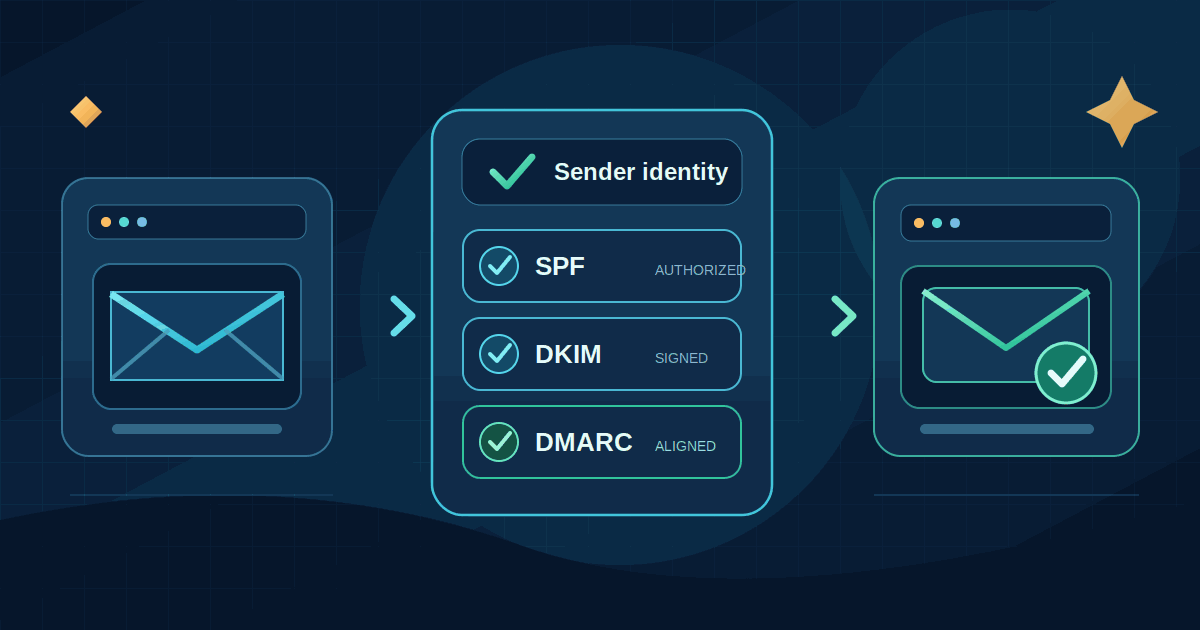
A customer asks for a quote. Your website sends an enquiry confirmation. Your team replies with a proposal. A week later, you send a newsletter about a new service. All of those messages use your business domain, but they may be sent by different systems.
If those systems are not configured properly, messages can land in spam, be rejected, or appear to come from a sender that your email provider cannot verify. That can cost a small business a sale, delay an invoice, or make a legitimate company look unreliable.
Email deliverability is not just a marketing concern. It is also about protecting your domain identity and making sure the services that send mail on your behalf are recognised. This guide explains the practical steps: SPF, DKIM, DMARC, unsubscribe handling, list hygiene and monitoring. You do not need to run your own mail server, but you do need to know which services are allowed to send as your domain.
1. Delivery and inbox placement are not the same thing
An email can be accepted by a receiving mail server and still be placed in spam or another folder. A sender can also receive a temporary deferral or a permanent rejection. These are different outcomes, so a single dashboard number labelled “sent” is not enough to understand what happened.
Providers evaluate several signals: whether the sending domain is authenticated, whether the message looks legitimate, how recipients respond, the sender's history, and technical details such as DNS and encrypted transport. SPF, DKIM and DMARC help establish who is authorised to send a message. They do not guarantee inbox placement, prove that a recipient consented, or make an irrelevant campaign welcome.
2. What Gmail, Yahoo and Outlook expect from senders
The major mailbox providers have tightened sender requirements. The details are not identical, and some rules apply only to high-volume mail sent to consumer inboxes. A small business should still configure all three authentication methods because its website, CRM, accounting tool or newsletter service may send mail on its behalf.
Gmail
Google's sender guidelines apply to mail sent to personal Gmail accounts. All senders must use SPF or DKIM, send over TLS, have valid forward and reverse DNS for sending IP addresses, follow the standard email format, and keep the spam rate reported in Postmaster Tools below 0.3%.
Google defines a bulk sender as a sender that sends close to 5,000 or more messages to personal Gmail accounts within a 24-hour period. It counts messages from the same primary domain together, including subdomains. Once a sender has been classified as a bulk sender, that status does not expire. Bulk senders must configure both SPF and DKIM, publish a DMARC policy with at least p=none, align the visible From domain with SPF or DKIM, and provide one-click unsubscribe for marketing and subscribed messages, plus a visible unsubscribe link in the message body. Google says unsubscribe requests must be honoured within 48 hours.
Google's FAQ says enforcement on non-compliant traffic began ramping up in November 2025. These requirements concern delivery to personal Gmail accounts; Google's FAQ says they do not apply in the same way to mail delivered to Google Workspace accounts.
Yahoo
Yahoo's current sender guidance asks all senders to use SPF or DKIM, keep complaint rates below 0.3%, maintain valid forward and reverse DNS for sending IPs, and follow the relevant email standards. Bulk senders must use both SPF and DKIM, publish a valid DMARC policy with at least p=none, and pass DMARC alignment through SPF or DKIM. Marketing and subscribed mail must support easy unsubscribe: a functioning List-Unsubscribe header (Yahoo accepts the mailto method; RFC 8058 one-click is recommended), a visible link in the message body, and processing within two days.
Yahoo's public best-practices page does not state the same numeric daily threshold as Google's Gmail guidance. Do not assume that Google's 5,000-message definition is a universal bulk-sender threshold.
Outlook.com consumer mail
Microsoft's published requirements cover high-volume senders sending more than 5,000 messages per day to consumer Outlook.com addresses such as Outlook.com, Hotmail.com and Live.com. Microsoft announced that non-compliant messages would be rejected from 5 May 2025 unless they meet SPF and DKIM authentication and publish a DMARC policy of at least p=none with alignment to SPF or DKIM. This is a requirement for Microsoft's consumer mail service; it should not be described as a blanket rule for every Microsoft 365 or Exchange Online tenant.
The practical lesson is simple: do not wait until a campaign is rejected. Set up authentication before you need to send at scale.
3. SPF, DKIM and DMARC in plain language
SPF: which systems may send for your domain?
Sender Policy Framework (SPF) is a DNS record that tells receiving mail servers which sending hosts are authorised for a domain. If you use Google Workspace, a newsletter platform, an invoicing tool and a website service, each may have a legitimate reason to send mail. Their authorised sending infrastructure must be reflected in the appropriate SPF configuration.
SPF checks the domain used in the email envelope, which is not always the same as the address a person sees in the From line. SPF can also fail when a message is forwarded because the forwarding server is not listed as an authorised sender. That is one reason SPF alone is not enough.
DKIM: can the receiver verify the message signature?
DomainKeys Identified Mail (DKIM) adds a cryptographic signature to a message. The sending service signs it with a private key, and the receiving service looks up the matching public key in DNS. A valid signature helps show that the message was signed by a domain that controls the key and that the signed parts have not changed in transit.
Most hosted email and newsletter providers can generate DKIM records for you. You normally copy a TXT or CNAME record into your DNS provider and then enable signing in the sending platform. If you use several third-party services, make sure each one signs with a domain that aligns with the address recipients see.
DMARC: does the authenticated sender match the visible From address?
Domain-based Message Authentication, Reporting and Conformance (DMARC) connects SPF and DKIM to the visible From domain. A message passes DMARC when at least one authenticated identifier—SPF or DKIM—passes and is aligned with the domain in the From header. Alignment means the authenticated domain matches the visible sending domain under the chosen relaxed or strict comparison mode.
DMARC also lets a domain owner publish a policy for messages that fail the check and receive aggregate reports about authentication results. The policy can be set to none for monitoring, quarantine to ask receivers to treat failures as suspicious, or reject to ask them to reject failures. A monitoring policy is a starting point, not an enforcement policy.
4. Inventory every service that sends email for your business
Before changing DNS, write down every service that sends messages using your domain. The list is often longer than expected:
- Business mailboxes such as Google Workspace or Microsoft 365.
- Website contact forms, quote requests and account notifications.
- Newsletter and email marketing platforms.
- CRM, booking, invoicing and e-commerce systems.
- Support desks, password-reset services and monitoring tools.
- Payment providers or other platforms that send receipts on your behalf.
For each service, record the From address, the domain it signs with, whether it uses your SPF record, who owns the account, and whether the service is still active. Remove old systems only after confirming that nobody relies on them. An overlooked website plugin or dormant CRM can become the reason a legitimate message fails after you tighten DMARC.
5. Roll out authentication without breaking legitimate mail
Step 1: publish one correct SPF record
Ask each sending provider for its current SPF instructions. Combine the required mechanisms into the SPF record for the correct envelope-sender domain. Do not publish a separate SPF TXT record for every provider: multiple SPF records for the same domain can cause a permanent error. Also watch the DNS lookup limit. SPF evaluation is limited to ten DNS-querying terms such as include, a, mx and redirect; exceeding the limit can make the result fail.
An illustrative record for a domain that sends through Google and one other provider might look like this:
v=spf1 include:_spf.google.com include:spf.provider.example ~allThis is an example only. Replace the provider entry with the exact value supplied by your email platform, and do not copy it if your domain uses different services. A careless SPF edit can authorise the wrong sender or break mail that was previously working.
Step 2: enable DKIM for every sending platform
In each provider's administration console, generate or enable a DKIM key for your domain. Publish the exact DNS record the provider gives you, wait for DNS changes to propagate, and then enable signing. Send a test message and inspect its authentication results. If a provider supports a custom DKIM signing domain, use one that aligns with your visible From domain.
Step 3: start DMARC in monitoring mode
Create a DMARC TXT record at _dmarc.yourdomain.com. A basic monitoring example is:
v=DMARC1; p=none; rua=mailto:dmarc-reports@example.comUse a real mailbox or a reporting service that can receive and interpret aggregate reports. The example uses the reserved example.com domain and is not a record to paste unchanged. Reports help you identify which services are sending mail, which messages pass authentication, and where alignment is missing.
Keep p=none while you investigate. Once every legitimate sender is accounted for and the reports show that authentication is consistently aligned, you can plan a gradual move to quarantine and then reject if that is appropriate for your organisation. Do not jump straight to a strict policy on a domain that still has unknown senders.
Step 4: make marketing unsubscribe easy
For promotional and subscribed messages, use an email platform that supports the RFC 8058 one-click unsubscribe headers as well as a visible unsubscribe link in the message body. The headers look like this:
List-Unsubscribe: <https://example.com/unsubscribe/opaque-token>
List-Unsubscribe-Post: List-Unsubscribe=One-Click
The sending platform must implement the POST endpoint and sign the relevant headers with DKIM. A footer link that sends a person to a page and asks them to log in is not the same as one-click unsubscribe. Keep promotional campaigns separate from essential transactional messages such as receipts or password resets, and honour opt-outs promptly.
6. Protect your sender reputation
Authentication proves something about the sending domain; it does not prove that people asked to receive the message. Reputation depends heavily on whether recipients want the mail and how they react to it. A technically valid campaign sent to an old or purchased list can still produce complaints and poor delivery.
- Use permission-based lists. Do not buy mailing lists or add people who have not agreed to receive the type of messages you send.
- Set expectations at signup: explain what the subscriber will receive and how often.
- Remove hard bounces and invalid addresses. Review repeated soft bounces and inactive subscribers.
- Send relevant content to people who have a reason to receive it. Do not suddenly increase frequency beyond what subscribers expected.
- Use a real reply-capable From address and a clear business identity.
- Keep marketing, transactional and employee email streams organised. A dedicated marketing subdomain or separate sending service can help separate reputation, but it adds DNS and monitoring work and does not excuse poor list practices.
7. Measure the right things
Use a small monthly report rather than relying on a single delivery percentage. Track:
- Authentication: SPF, DKIM and DMARC pass rates, plus whether the results are aligned with the visible From domain.
- Delivery errors: hard bounces, temporary deferrals and permanent rejections, grouped by provider where possible.
- Spam complaints: keep below the 0.3% threshold specified in Gmail and Yahoo sender guidance. Treat that as a ceiling to stay well below, not as a target.
- Unsubscribes: confirm that one-click requests are processed within the provider's required window.
- Business results: clicks, enquiries, qualified leads, purchases or renewals attributed to the campaign.
Google Postmaster Tools includes dashboards for compliance status, spam rate, IP and domain reputation, authentication, encryption and delivery errors. Data can be limited when sending volume is low. Yahoo's Complaint Feedback Loop can help eligible senders identify complaint activity for DKIM-signed mail. Use these tools alongside test messages to Gmail, Yahoo and Outlook accounts and inspect the Authentication-Results header for spf=pass, dkim=pass and dmarc=pass.
Do not treat open rate as the only measure of success. Use clicks and completed business actions as stronger evidence that a campaign reached and helped the right audience. Our guide to website lead tracking with GA4 explains how to connect campaign activity to actual enquiries and customers.
8. Common mistakes to avoid
- Publishing multiple SPF records: combine provider mechanisms into one valid record for the domain.
- Exceeding the SPF lookup limit: review nested includes as well as the visible record.
- Enforcing DMARC too early: unknown website, CRM or invoice senders may be rejected when you move to quarantine or reject.
- Assuming p=none protects recipients: it asks receivers not to apply a DMARC failure policy; it is useful for monitoring but does not enforce protection.
- Forgetting third-party platforms: a newsletter provider may pass DKIM but fail alignment if it signs with its own unrelated domain.
- Confusing authentication with reputation: SPF, DKIM and DMARC cannot fix irrelevant content, purchased lists or high complaint rates.
- Using only a footer unsubscribe link: bulk marketing requirements call for one-click headers as well as a visible body link.
9. Costs, trade-offs and when to get help
SPF, DKIM and DMARC are DNS-based standards; publishing the records does not usually require buying a separate authentication licence. The work is in finding every sender, getting the right values from each provider, testing the result and monitoring it over time. Your domain registrar or DNS provider may already include the required DNS controls.
DMARC aggregate reports are XML files. A small business can receive them directly, but interpreting many reports by hand is inconvenient. A monitoring service can turn them into dashboards and identify sending sources; those services may charge a recurring fee. Email marketing platforms also vary in price, list limits and support for custom DKIM and one-click unsubscribe. Check the current plan details before choosing one.
Ask your email administrator, hosting provider or marketing platform for help if you cannot identify all sending systems, if SPF is close to its lookup limit, or if DMARC reports show legitimate messages failing. A rushed DNS change can interrupt invoices, password resets and customer support, so treat the rollout as a controlled change rather than a quick copy-and-paste task.
10. A practical small-business checklist
- List every platform that sends email using your domain.
- Confirm which address appears in the visible From field and which domain each provider authenticates.
- Publish one SPF record that includes every authorised sender without exceeding the lookup limit.
- Enable DKIM signing in every sending platform and verify the DNS records.
- Publish a DMARC record with
p=noneand a working aggregate-report destination. - Review reports, fix alignment problems and remove unknown senders before enforcing a stricter policy.
- Enable one-click unsubscribe and a visible unsubscribe link for marketing mail.
- Monitor authentication, complaints, bounces, delivery errors and business conversions every month.
Conclusion
Good email deliverability starts with knowing which systems send mail for your business and making those systems prove their identity. SPF lists authorised senders, DKIM verifies a message signature, and DMARC checks that the authenticated domain matches the visible From address while giving you a way to monitor failures and set policy.
Start with an inventory, configure authentication carefully, monitor before enforcing, and send only to people who expect your messages. These steps will not guarantee that every email reaches the inbox, but they give your business a sound technical foundation and make delivery problems much easier to diagnose.
Further reading
- Google: Email sender guidelines — requirements for all senders and high-volume senders to personal Gmail accounts.
- Google: Email sender guidelines FAQ — bulk-sender definition, enforcement and common authentication errors.
- Google: Postmaster Tools dashboards — compliance, spam rate, reputation and authentication monitoring.
- Yahoo: Sender best practices — authentication, complaint rates, unsubscribe and list hygiene.
- Microsoft: Outlook.com requirements for high-volume senders — consumer Outlook sender authentication rules.
- RFC 7208: SPF — sender authorisation and DNS lookup limits.
- RFC 9989: DMARC — the current DMARC standard, alignment and monitoring mode.
- RFC 8058: One-click unsubscribe — the List-Unsubscribe header mechanism.
Related articles

Website Lead Tracking for Small Businesses: A Practical GA4 Guide
Learn how to measure real website enquiries from forms, phone calls and WhatsApp—not just traffic—with GA4, campaign tags and CRM feedback.
Read article
Passkeys for Small Businesses: A Practical Rollout Guide
A practical guide to adopting passkeys in a small business: choose the right credential, protect administrator accounts, plan recovery, and avoid sign-in disruption.
Read articleLet's talk
Have an idea? Let's figure out how to build it.
You don't need a technical specification or a perfectly defined plan. Tell us what you're trying to achieve, and we'll help identify the next steps.